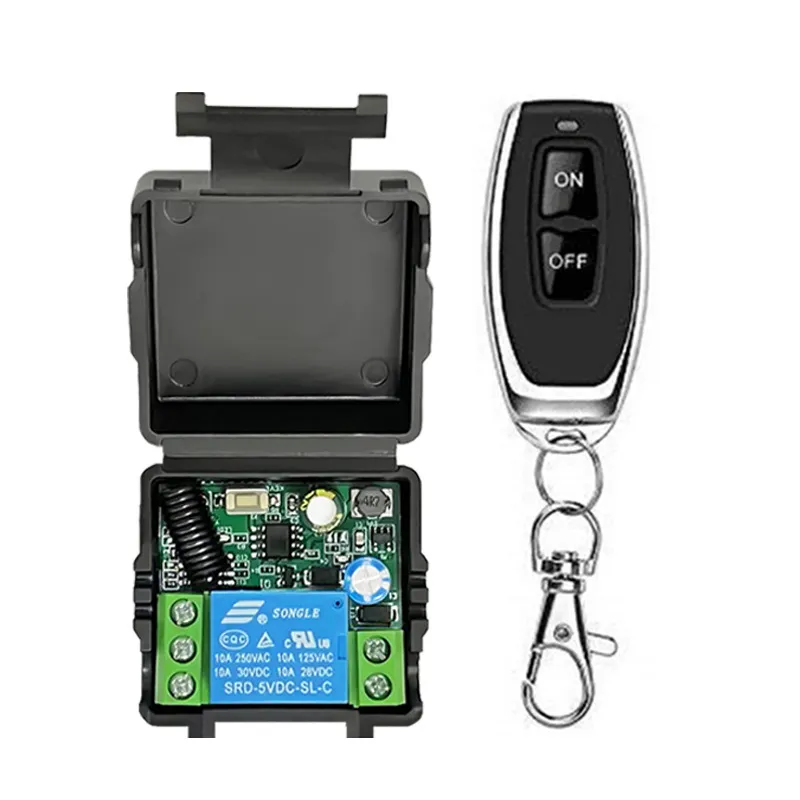
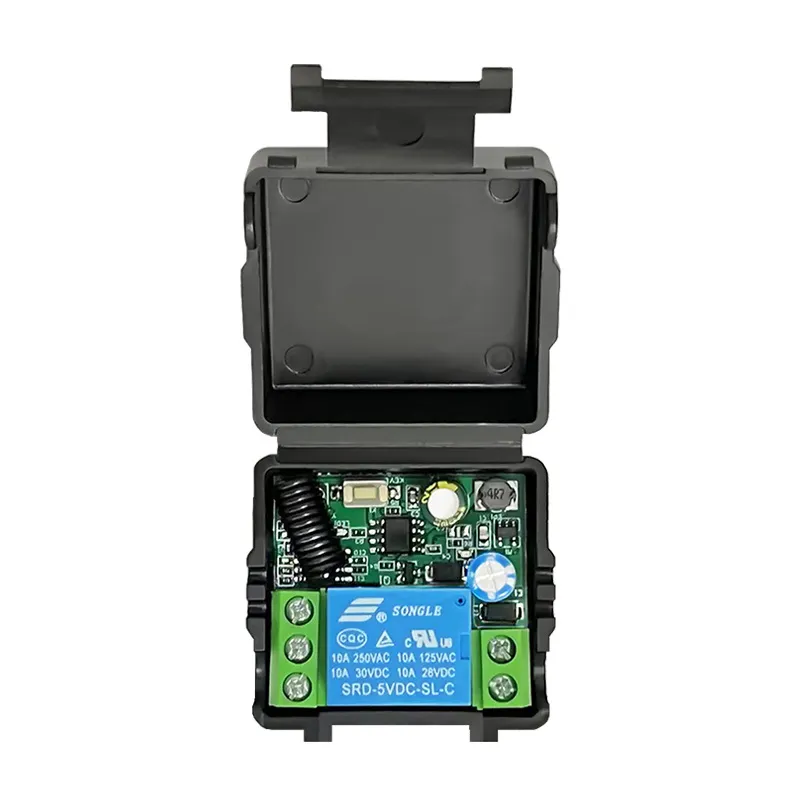
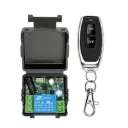
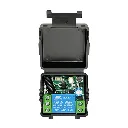
🔥 Wireless Remote Control Relay Switch (10A) 🔥
📡 Remote နဲ့ လွယ်ကူစွာ ထိန်းချုပ်နိုင်တဲ့ Smart Relay Receiver လေးပါ။
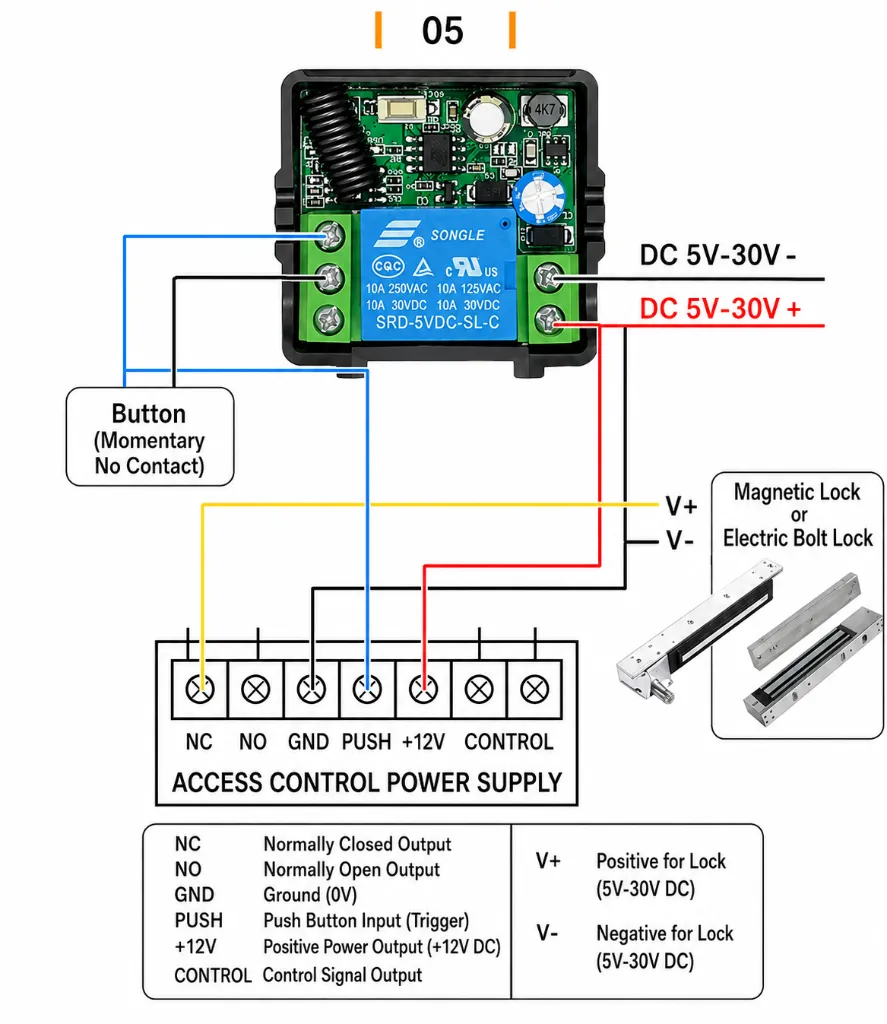
✅ Access Control System
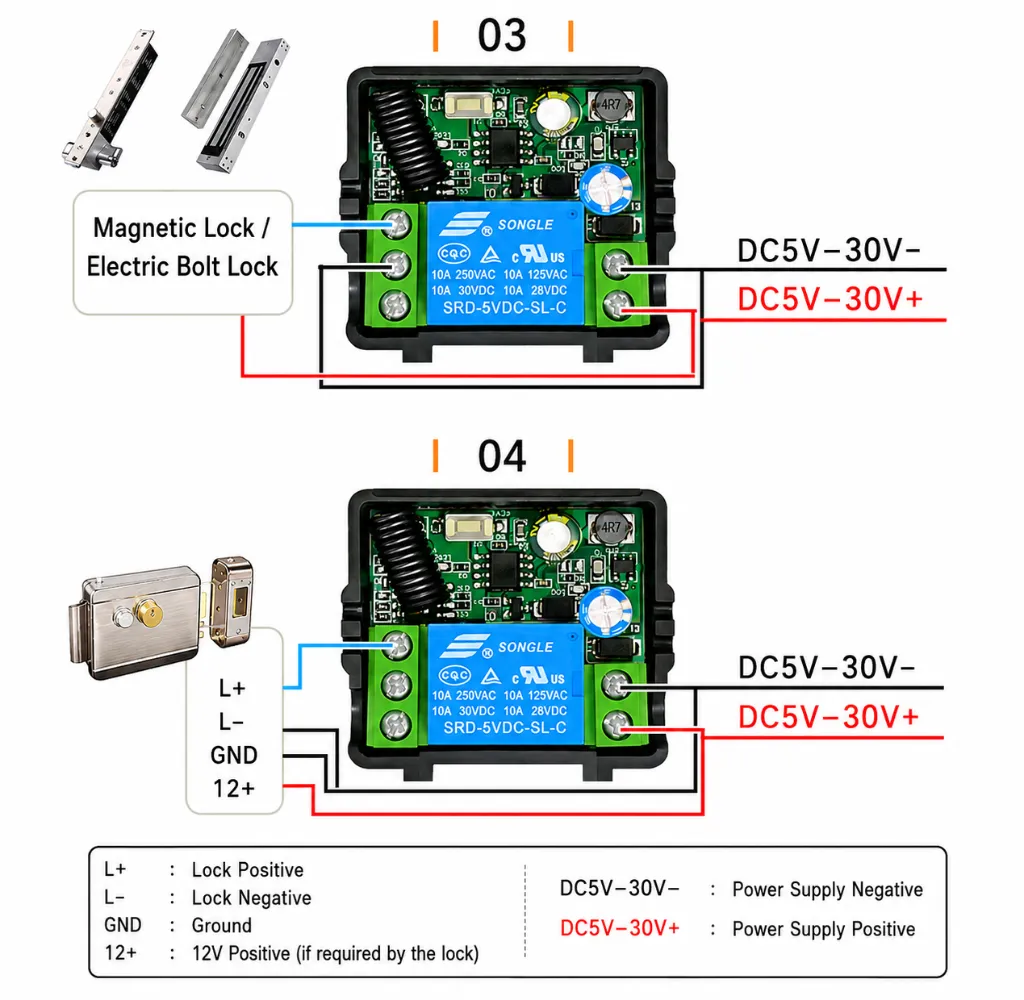
✅ Electric Lock Control
✅ Car Modification Projects
✅ Industrial Control System
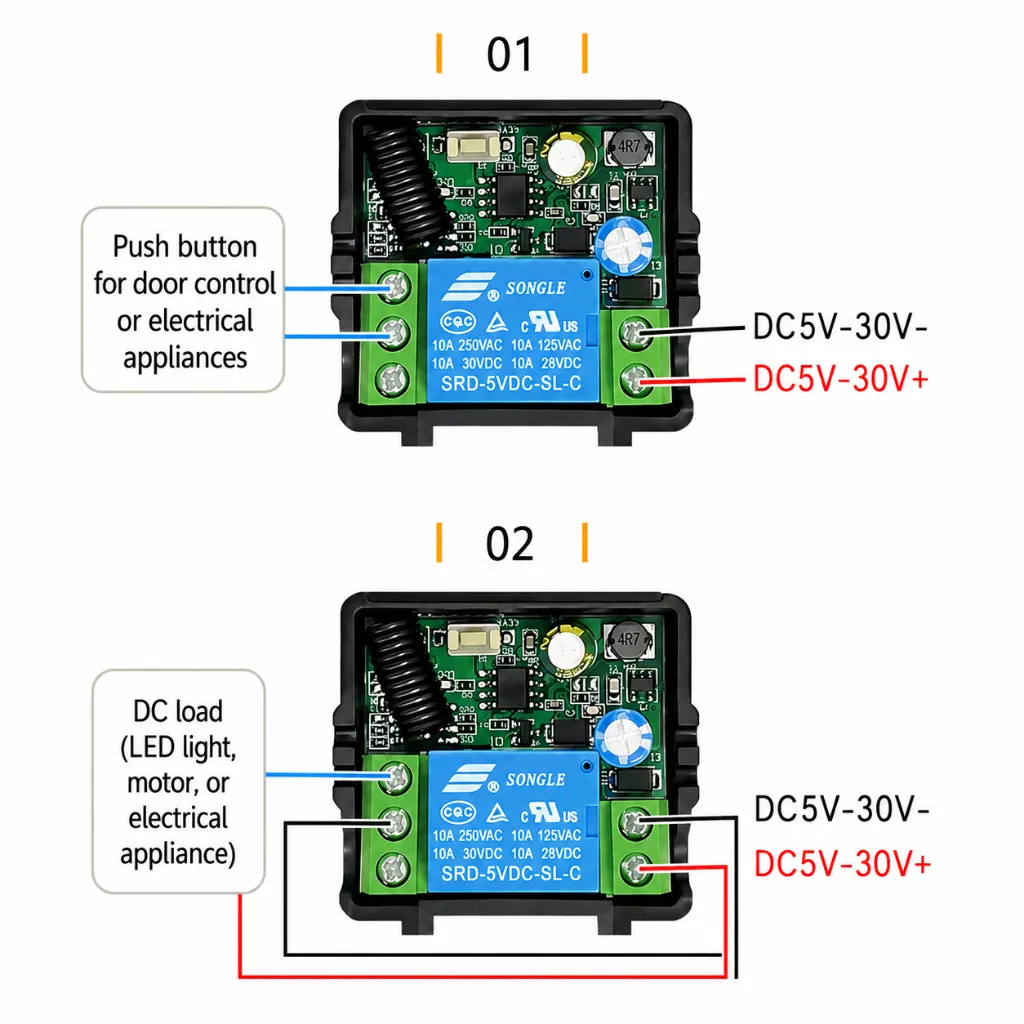
✅ Home / Shop Lighting Control
စတဲ့ အသုံးအဆောင်အမျိုးမျိုးအတွက် အဆင်ပြေစွာ အသုံးပြုနိုင်ပါတယ်။
✨ ထူးခြားချက်များ
🔹 Remote/Transmitter အများဆုံး (20) ခုအထိ မှတ်သားနိုင်ခြင်း
🔹 MCU Software Decoding အသုံးပြုထားလို Signal တည်ငြိမ်ပြီး Anti-Interference ကောင်းမွန်ခြင်း
🔹 Relay Output 10A အထိ Support ပေးနိုင်ခြင်း
🔹 2262, 2260, 1527, 2240 Encoding Chip အသုံးပြုထားသော Remote များနှင့် တွဲဖက်အသုံးပြုနိုင်ခြင်း
🔹 Omnidirectional Control ဖြစ်လို အရပ်မျက်နှာမရွေး ထိန်းချုပ်နိုင်ခြင်း
🔹 Switch တစ်ခုနဲ့ တစ်ခု Signal မထိခိုက်စေခြင်း
🔹 DC 5V မှ 30V အထိ အသုံးပြုနိုင်လို 5V, 6V, 7.4V, 9V, 12V, 24V စတဲ့ Power Supply မျိုးစုံနဲ့ တွဲဖက်အသုံးပြုနိုင်ပါတယ်။
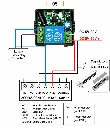
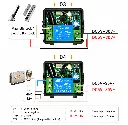
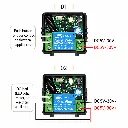
🔌 Terminal Connections
🔹 V+ ➜ DC Positive (+)
🔹 V- ➜ DC Negative (-)
🔹 COM ➜ Common
🔹 NO ➜ Normally Open
🔹 NC ➜ Normally Close
📌 Load Capacity
• AC 250V အထိ (10A)
• DC 30V အထိ (10A)
(သတ်မှတ်ထားသော Load Limit အတွင်းသာ အသုံးပြုရန်)
📌 Supported Functions
🎯 Momentary (Jog) Mode
🎯 Self-Locking (Toggle) Mode
🎯 Interlock Mode
🎯 Auto Delay OFF Mode
🎯 Power-On Start Mode
━━━━━━━━━━━━━━━
📖 Remote Pairing (Learn) ပြုလုပ်နည်း
### 🎯 01. Momentary Mode (Jog Mode)
👉 Learn Button ကို (1) ကြိမ်နှိပ်ပါ
💡 LED တစ်ချက်လင်းပြီး အမြဲလင်းနေပါမယ်
👉 အသုံးပြုမယ့် Remote Button ကိုနှိပ်ပါ
✅ LED (3) ကြိမ် ဆက်တိုက် Flash လုပ်ရင် Pairing အောင်မြင်ပါပြီ
### 🔄 02. Self-Locking Mode (Toggle Mode)
👉 Learn Button ကို (2) ကြိမ်နှိပ်ပါ
💡 LED တစ်ချက်လင်းပြီး အမြဲလင်းနေပါမယ်
👉 Remote Button ကိုနှိပ်ပါ
✅ LED (3) ကြိမ် Flash လုပ်ရင် Pairing အောင်မြင်ပါပြီ
### 🔀 03. Interlock Mode
👉 Learn Button ကို (3) ကြိမ်နှိပ်ပါ
💡 LED တစ်ချက်လင်းပြီး အမြဲလင်းနေပါမယ်
👉 Remote Button ကိုနှိပ်ပါ
✅ LED (3) ကြိမ် Flash လုပ်ရင် Pairing အောင်မြင်ပါပြီ
### ⏳ 04. 5-Second Delay
👉 Learn Button ကို (4) ကြိမ်နှိပ်ပါ
💡 LED တစ်ချက်လင်းပြီး အမြဲလင်းနေပါမယ်
👉 Remote Button ကိုနှိပ်ပါ
✅ LED (3) ကြိမ် Flash လုပ်ရင် Pairing အောင်မြင်ပါပြီ
### ⏳ 05. 10-Second Delay
👉 Learn Button ကို (5) ကြိမ်နှိပ်ပါ
💡 LED တစ်ချက်လင်းပြီး အမြဲလင်းနေပါမယ်
👉 Remote Button ကိုနှိပ်ပါ
✅ LED (3) ကြိမ် Flash လုပ်ရင် Pairing အောင်မြင်ပါပြီ
### ⏳ 06. 15-Second Delay
👉 Learn Button ကို (6) ကြိမ်နှိပ်ပါ
💡 LED တစ်ချက်လင်းပြီး အမြဲလင်းနေပါမယ်
👉 Remote Button ကိုနှိပ်ပါ
✅ LED (3) ကြိမ် Flash လုပ်ရင် Pairing အောင်မြင်ပါပြီ
### ⏳ 07. 20-Second Delay
👉 Learn Button ကို (7) ကြိမ်နှိပ်ပါ
💡 LED တစ်ချက်လင်းပြီး အမြဲလင်းနေပါမယ်
👉 Remote Button ကိုနှိပ်ပါ
✅ LED (3) ကြိမ် Flash လုပ်ရင် Pairing အောင်မြင်ပါပြီ
### ⚡️ 08. Power-On Start
👉 Learn Button ကို (8) ကြိမ်နှိပ်ပါ
💡 LED တစ်ချက်လင်းပြီး အမြဲလင်းနေပါမယ်
👉 Remote Button ကိုနှိပ်ပါ
✅ LED (3) ကြိမ် Flash လုပ်ရင် Pairing အောင်မြင်ပါပြီ
━━━━━━━━━━━━━━━
📚 Mode များ၏ အဓိပ္ပါယ်
🎯 Momentary (Jog) Mode
👉 Remote Button ကို ဖိထားသရွေ့ Relay ON ဖြစ်နေမည်
👉 လွှတ်လိုက်သည်နှင့် OFF ဖြစ်မည်
🔄 Self-Locking (Toggle) Mode
👉 တစ်ချက်နှိပ် = ON
👉 နောက်တစ်ချက်နှိပ် = OFF
🔀 Interlock Mode
👉 Channel တစ်ခု ON လုပ်လိုက်ပါက အခြား Channel များ Auto OFF ဖြစ်မည်
⏳ Delay Modes
👉 Relay သည် သတ်မှတ်ထားသော အချိန် (5s / 10s / 15s / 20s) ပြည့်ပါက Auto OFF ဖြစ်မည်
⚡️ Power-On Start Mode
👉 Power ပေးလိုက်သည်နှင့် Relay Auto ON ဖြစ်မည်
━━━━━━━━━━━━━━━
🗑 Code Clearing (Memory ဖျက်နည်း)
### ✅ Method 1 (အသုံးအများဆုံး)
👉 Receiver ပေါ်ရှိ Learn Button ကို (9) ကြိမ်နှိပ်ပါ။
💡 LED သည် မြန်မြန် Flash လုပ်ပါမည်။
👉 ခလုတ်လွှတ်လိုက်ပါ။
✅ သိမ်းထားသော Remote Code အားလုံး ဖျက်ပြီး ဖြစ်ပါသည်၊
💯 DIY Project များ၊ Smart Home System များ၊ Remote Door Lock Control များနှင့် Automation Project များအတွက် အသုံးဝင်သော Wireless Relay Receiver လေး ဖြစ်ပါတယ်။